Parental Controls With Kavalan Standard

Powerful, one click blocking of content across all devices.

59%

Children use screens

by the age of 3!*

75%

Parents who are concerned

about their children being exposed to inappropriate content*

67%

Parents with privacy concerns

and worried about data collection on their children**

Sources:
* Ann and Robert H. Lurie Childrens Hospital of Chicago Study
** Pew Research Center (Oct 2025)

Easy adult content blocking

Block or unblock adult content websites across every device in your home with just one click.

Games, Social Media, Streaming

One click app blocking

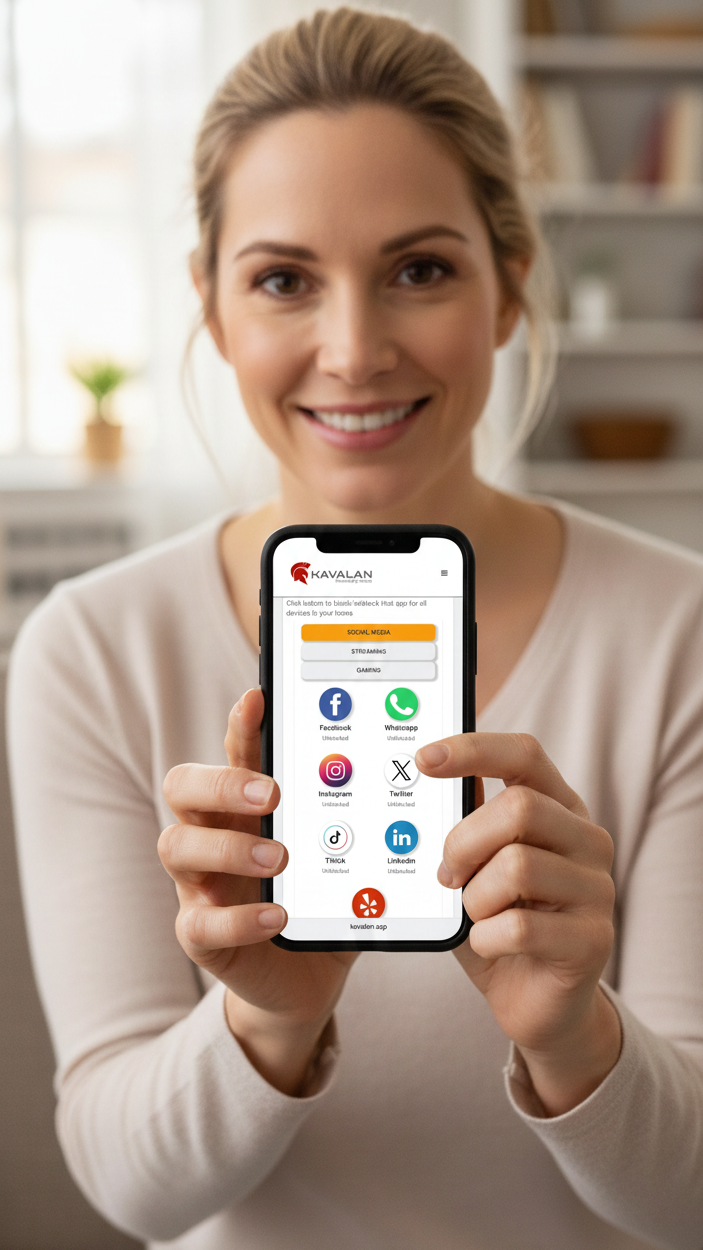
Block curated social media, streaming and gaming apps. One click to block, one click to unblock across every device in your home!

Custom blocking

Block whatever you want

Block any web domain before devices in your home can access them. View web domains accessed in the last 24 hours and block in just one click

key benefits

Cleaner, Safer Internet

Enforce parental controls across every device in your home. Enable your family to enjoy a cleaner, safer internet experience.

Reduced Data Exposure

Keep your personal and behavioral data out of the hands of data brokers, ad networks.
Kavalan logo
Kavalan Pricing
Monthly
Yearly
All plans include protection for unlimited devices in the home
Kavalan Light
$7.99
/ Month
icon
Cyber threat blocking
icon
Privacy threat blocking
icon
Personal dashboard
icon
Email notifications
icon
Email support
Kavalan Standard
$11.99
/ Month
icon
Cyber threat blocking
icon
Privacy threat blocking
icon
Personal dashboard
icon
Email notifications
icon
Email support
icon
Parental controls
icon
Block what you want
icon
Privacy insights
icon
Website privacy scanning
PICK YOUR PLAN
You will be redirected to the Kavalan product sign up site at https://kavalan.app
how it works
Block the bad sites before they are accessed.

Kavalan uses the power of Domain Name Service (DNS) technology to filter out privacy and security threats to your home. Change just ONE setting on your home internet router and the Kavalan protects every device in your home.

NEXT
Kavalan logo

Step 1

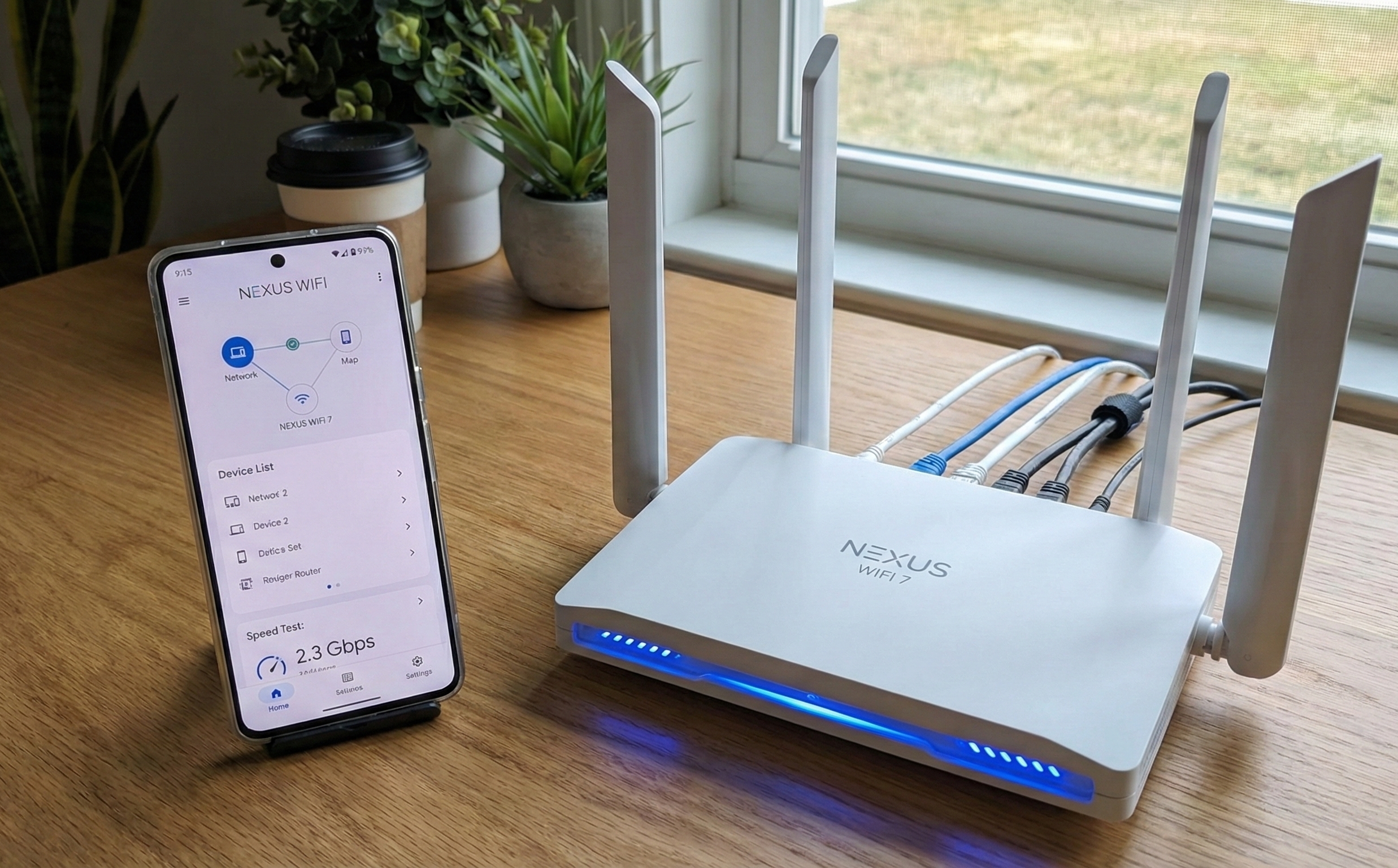
Log in to your home router using the router's web interface or through the app that comes with it.
NEXT

Step 2

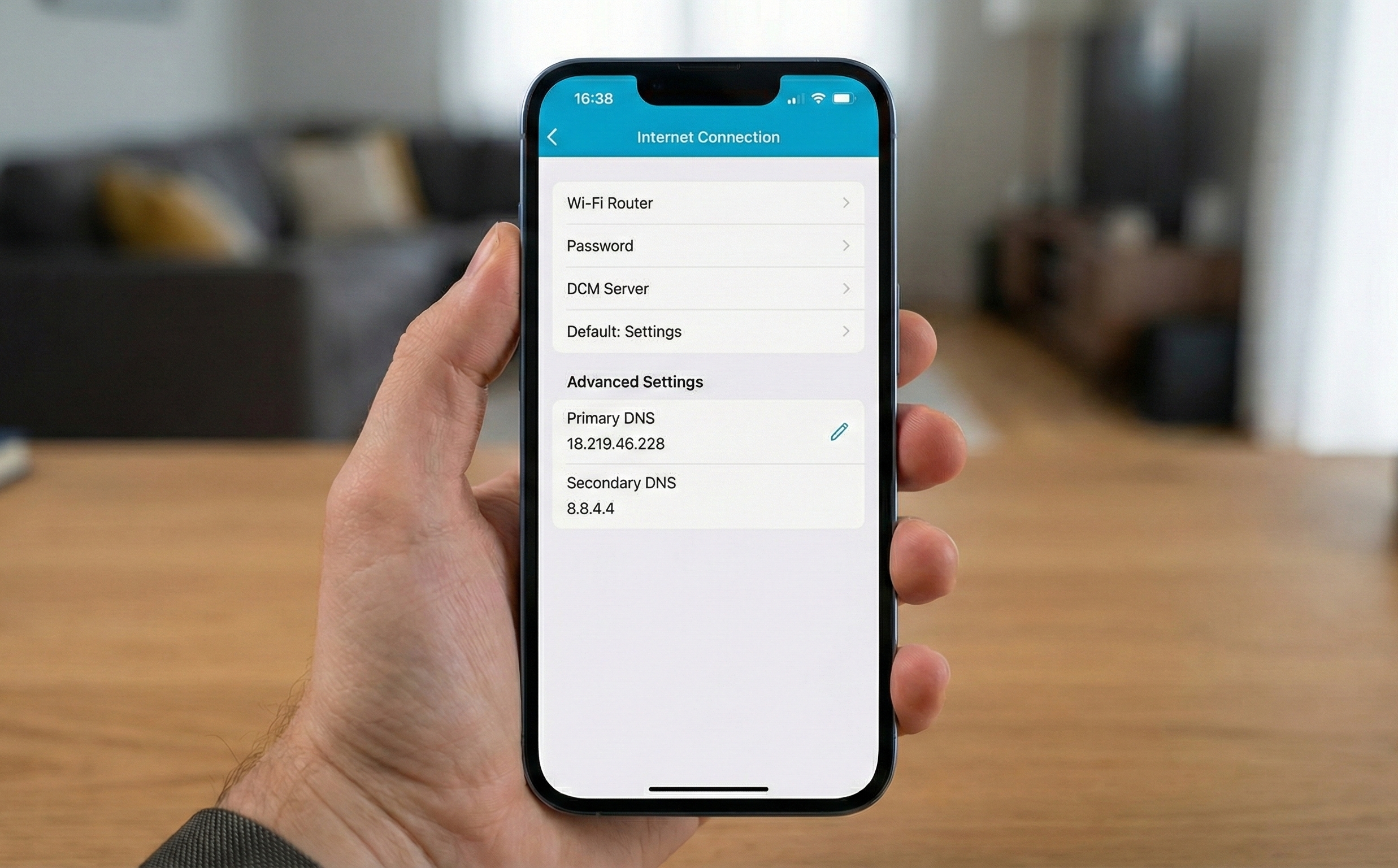
Change the 'Primary DNS' setting on your home router to point to Kavalan. The Kavalan set up guide will walk you through instructions on how to do this for most major router brands.

NEXT

Step 3

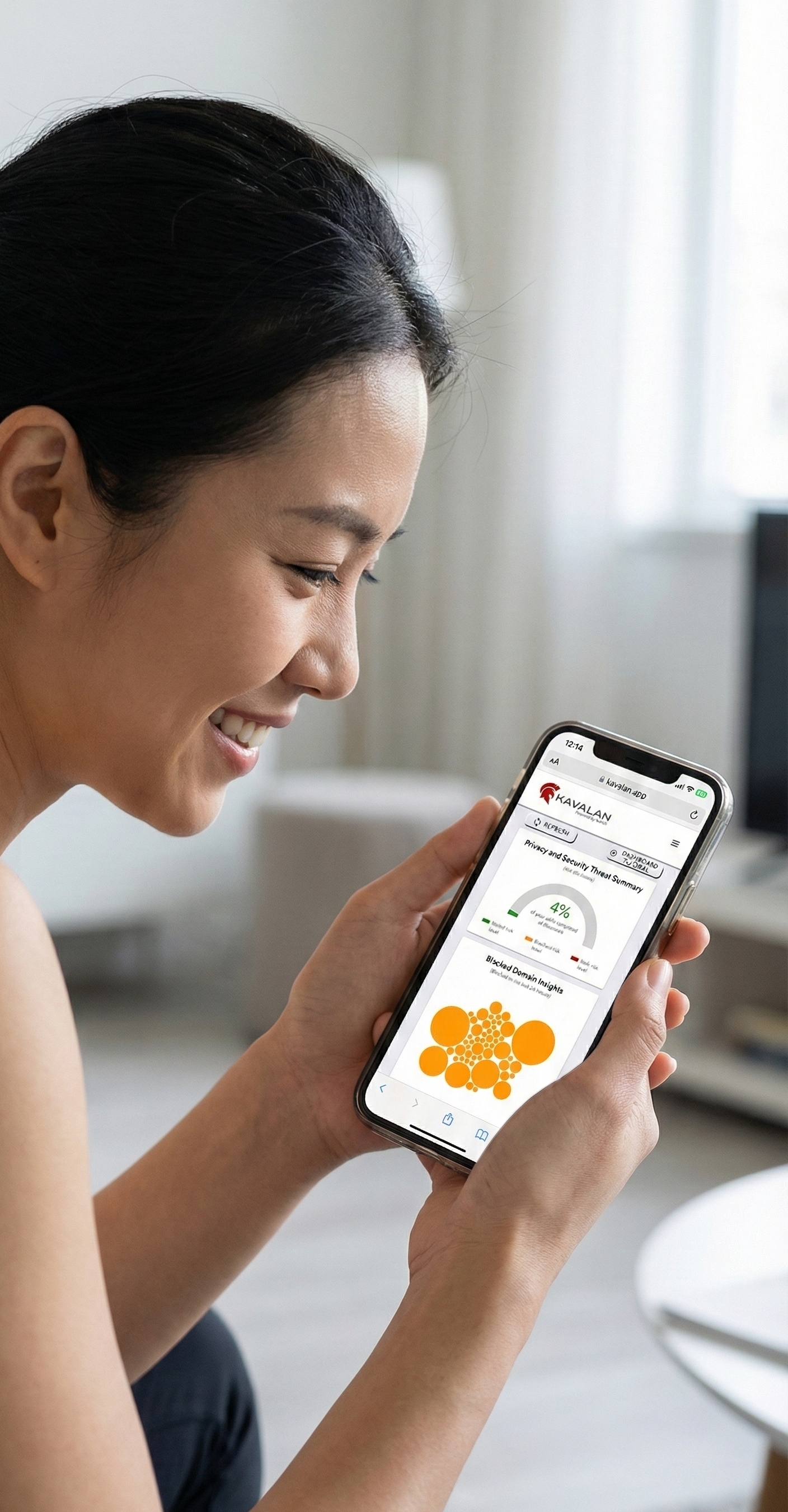
Access and view your personal Kavalan dashboard to see how Kavalan protected your home. You can access your dashboard from anywhere in the world.
SIGN UP

30 day free trial

Try Kavalan Light for Free

Try the Kavalan Light version free for 30 days. Try on one device or the whole house - your choice! No credit card needed.
Thank you! Your submission has been received!
Oops! Something went wrong while submitting the form.
You will be redirected to the Kavalan product sign up site at https://kavalan.app